




Descript is a video and audio editor that lets you edit a recording by editing its transcript. It suits B2B marketing teams that turn webinars, customer calls and founder videos into content without a full-time editor. The free plan is enough to test it, and paid plans start at $16 per person per month on annual billing (as of November 2026). The main cautions are AI credits, which run out faster than you’d expect, and slow performance on long projects.
Some links in this review are affiliate links, so we may earn a commission if you sign up. It doesn’t change what we say.
We edit our own video in Descript, so this review mixes our experience with what about 900 G2 reviewers say. It’s written for B2B SaaS companies, consultancies and professional services firms with a small marketing team.
Quick overview
Descript puts a transcript-based editor, an AI co-editor called Underlord, browser-based remote recording (Rooms) and brand templates (Brand Studio) in one app. You record or upload a video, Descript transcribes it, and you cut words from the text to cut them from the video.
Who Descript is best for, and who should skip it
| Your team | Fit | What to use |
|---|---|---|
| B2B SaaS marketing team of 1 to 5 people with no video editor | Strong fit for webinar clips, demo videos, release-note videos and a sales clip library | Creator, or Business for Brand Studio and up to 5 seats |
| Consultancy with partners on camera | Strong fit for a partner podcast and LinkedIn thought-leadership clips | Creator |
| Professional services firm (legal, accounting, advisory) | Good fit for explainers, client webinars and a firm podcast | Hobbyist or Creator. Enterprise if you need SSO, audit logs or a custom MSA |
| You only need meeting notes and transcripts | Skip it | Fathom or Otter |
| You have a trained editor making high-end brand films | Skip it | Adobe Premiere Pro or DaVinci Resolve |
| Remote recording quality is the main job | Skip it | Riverside |
| Your rules forbid cloud processing of client recordings | Skip it unless you can buy Enterprise | A local editor such as Premiere Pro or Resolve |
How we use Descript
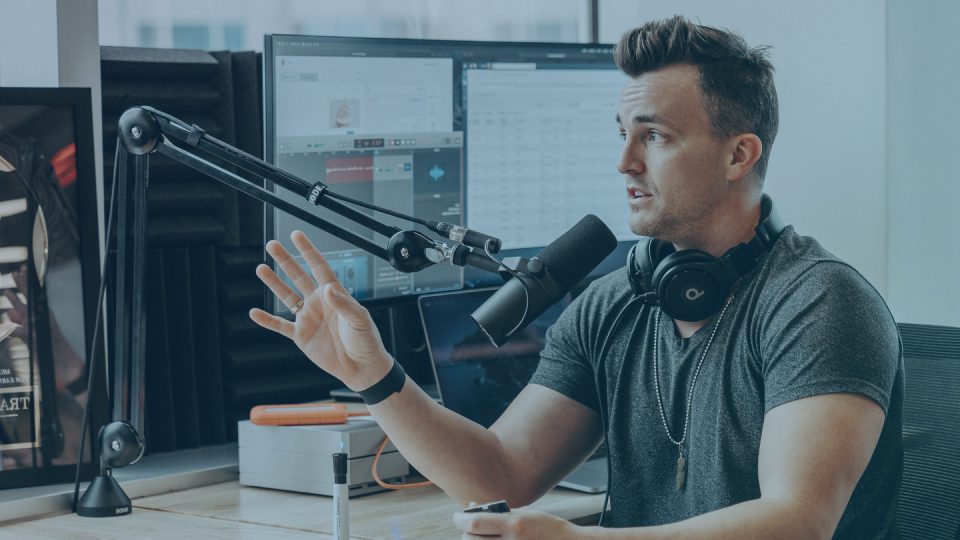
Bryan uses Descript all the time for video editing, and it works really well. Editing from the transcript means we cut a video the way we’d edit a document, without scrubbing through a timeline.
It got even better once Descript connected to Claude. Descript’s MCP connector has been in Claude’s connector directory since June 2026. It lets Claude find projects in your Descript drive, pull transcripts and send edits to Underlord. So the chat where you draft the blog post or the LinkedIn copy can also work on the video that goes with it.
That’s why our verdict is a strong yes for small B2B marketing teams. The limits below are real and you should plan for them. They haven’t stopped us from using it.
Descript review: pros and cons
Descript holds around 4.6 out of 5 on G2 from about 900 reviews. Descript reviews praise editing from the transcript and how fast non-editors pick it up. The complaints cluster around the learning curve past the basics, slow performance on long projects and AI credits. Trustpilot is harsher at 3.0 out of 5 from 264 reviews (checkthat.ai, July 2026). Most of those complaints are about speed, stability and credits.
| What Descript does well | Where Descript falls short |
|---|---|
| You edit video by editing the transcript. “Easy Editing” is tagged in about 280 G2 reviews. | The learning curve past the basics. “Learning Curve” is tagged in about 81 G2 reviews and the interface can confuse. |
| Non-editors pick it up fast. Ease of use leads G2’s AI summary. | Slow performance on long or heavy projects comes up in 66 of 905 G2 reviews. |
| Simple edits take minutes. One G2 reviewer finished in about 3 minutes a job that would have taken 30. | Stability. One G2 user lost three hours of work after the app hung. |
| Studio Sound and filler-word removal clean up audio recorded in an office. | AI credits run out fast under the current pricing model. |
| A free plan lets you test it before you pay. | It’s cloud-based, so a weak connection slows sync and export. There’s no full mobile app. |
The G2 theme counts come from G2 comparison pages and checkthat.ai, so treat them as approximate.
Is Descript worth it?
For a B2B marketing team of one to five people that records webinars, customer calls or founder video and has no editor, yes. It’s the tool we reach for when a raw recording needs to become something we can post. If you have a trained editor who needs frame-level control, Premiere Pro is the better choice.
Try Descript on the free plan first. You don’t need a credit card.
Text-based editing and transcription
Descript transcribes every recording and turns the transcript into the edit controls. Delete a sentence in the text and it disappears from the video. Transcription covers 25 languages on the free plan, and Descript made its Scribe v2 model the default in May 2026.
How editing from the transcript works
You can still drop down to a timeline for fine cuts, B-roll and music. Most rough edits happen in the text, so a marketer who can edit a Google Doc can make the first cut of a webinar.
How accurate is Descript transcription?
Accurate enough to edit from. Like every transcription tool, it trips on names, product terms and acronyms. Budget a quick pass to fix those before you export captions or pull quotes for a blog post.
Studio Sound, filler words and eye contact
Studio Sound cleans up audio, so a call recorded in a meeting room still sounds usable. Filler-word and pause removal cuts the ums in one click. Since August 2026, filler-word removal also works in Spanish, German, French, Portuguese and Italian. Eye contact correction makes a speaker who glances at notes look at the camera.
Underlord and the AI features
Underlord is Descript’s AI co-editor. You describe the edit in chat, and it cuts, cleans up, makes clips and adds B-roll. Every task draws on your monthly AI credits.
What Underlord can do
Ask it to remove filler words, tighten a section, pull clips from a webinar or make a YouTube thumbnail (added in August 2026). Since May 2026 you can pin context with @ mentions and keep chat history per project. Results vary. G2’s AI summary lists glitchy or inconsistent AI features as a con, so check every Underlord edit before you publish.
How AI credits work and how fast they go
In September 2025 Descript replaced transcription hours with two allowances, media minutes and AI credits. Media minutes cap how much recording you bring in each month. AI credits pay for Underlord and the other AI tools, and they go fast. One Trustpilot user burned 400 credits in under 15 minutes (checkthat.ai).
Note: AI voice clones (built on ElevenLabs v4 since October 2026) need the speaker’s consent. Set a team rule before anyone clones a founder’s voice.
Rooms, Brand Studio and team features
Rooms records remote interviews in the browser and Brand Studio keeps every video on brand. Together with the admin controls on Enterprise, they make Descript a team tool.
Recording remote interviews and webinars with Rooms
Rooms records the host and up to 10 guests locally, on separate tracks, at up to 4K. In 2026 it added live captions in April, scheduled Rooms with Google Calendar and Outlook in August, and recording without the host in September.
Keeping video on brand with Brand Studio
Brand Studio stores your colors, logos and templates and applies them in one click. On November 6, 2026, Descript added layout packs that AI builds from your brand guidelines. They’re on paid plans and use AI credits. Business and Enterprise also get Brand Studio assets in the Media panel.
Admin, security and integrations
Descript opened a public API in beta in April 2026 and added a Zapier connector in September 2026. You can import from Google Drive and export timeline files to Premiere Pro, DaVinci Resolve and Final Cut. SSO, SCIM, audit logs and SOC 2 Type II sit on Enterprise only.
Descript pricing and free plan
As of November 2026, Descript pricing runs from a Free plan to $50 per person per month on Business with annual billing. Enterprise pricing is custom.
| Plan | Annual billing (per person/month) | Monthly billing (per person/month) | Media per month | AI credits per month | Limits to know |
|---|---|---|---|---|---|
| Free | $0 | $0 | 60 minutes | 100 (one time) | 720p export with watermark, 5 GB storage, 1 seat |
| Hobbyist | $16 | $24 | 10 hours | 400 | 1080p, 100 GB, 1 person, no credit top-ups |
| Creator | $24 | $35 | 30 hours | 800 | 4K, 1 TB, up to 3 seats, top-ups, full Underlord |
| Business | $50 | $65 | 40 hours | 1,500 | 4K, 2 TB, up to 5 seats, Brand Studio, priority support |
| Enterprise | Custom | Custom | Sized to team | Sized to team | SSO, SCIM, audit logs, SOC 2 Type II |
Source: Descript’s pricing page, as of November 2026. Prices in USD. The page says annual billing saves up to 35%. On the listed prices we work it out at 23% to 33%.
Is Descript free?
Yes, and there’s no free trial of the paid plans, so the Free plan is the trial. It’s enough to edit one webinar clip and see whether the workflow suits your team.
What a 3-person or 5-person team pays
A three-person content team on Creator, billed annually, pays about $72 a month ($864 a year). A five-person team on Business pays about $250 a month ($3,000 a year). Creator stops at three seats, so a fourth person moves you to Business.
Try Descript on the free plan before you pick a tier.
Getting started: a setup guide for B2B teams
Start small. One person, one recording and one clip will tell you more than a month of planning.
Minimal setup for a one-person marketing team
Sign up on the Free plan and upload a recent webinar or customer call. Run Studio Sound and filler-word removal, then cut one 60-second clip for LinkedIn. If that works, move to Hobbyist or Creator.
30/60/90-day rollout
- Days 1 to 30: set up a brand template and turn your last webinar into clips and a blog post.
- Days 31 to 60: start a recurring founder video or podcast. Track the content calendar in monday.com.
- Days 61 to 90: build a sales enablement clip library and measure it. Pull video and channel data into one report with Supermetrics to see which clips lead to pipeline.
B2B use cases for Descript
Descript earns its place when one recording has to become several pieces of content.
- Webinar to clips and a blog post. Cut five social clips, then use the exported transcript as the base for a post. Our guide to repurposing marketing content covers the rest of the workflow.
- Founder and partner video for LinkedIn. Short captioned clips give a founder or partner something to post every week. See our guide to personal branding on LinkedIn.
- Customer stories from a recorded call. Turn a customer interview into a case-study video, with the customer’s written consent.
- Sales enablement clips. Record product demos and objection-handling answers once, then pair the clips with outbound sequences in Apollo.
- A podcast for a consultancy or professional services firm. Record in Rooms, clean it up with Studio Sound and publish audio and video from one project.
Descript vs competitors
The best Descript alternatives depend on the job. Riverside is stronger for recording, CapCut for quick social edits and Premiere Pro for control. Loom suits quick async sales videos with no editing.
Descript vs Riverside
Riverside is a dedicated recording studio, and Descript is the better editor. Rooms now handles recording inside Descript, so a small team can often get by with one tool.
Descript vs CapCut
CapCut (or Opus Clip) suits fast short-form social edits on a tiny budget. Pick Descript when your clips come from long recordings that need a transcript.
Descript vs Premiere Pro and Camtasia
Premiere Pro gives a trained editor frame-level control. It has a higher skill floor and Creative Cloud pricing. Camtasia is strong for screen-recorded tutorials and software demos. Descript is the easier choice for a team without an editor.
When to use a meeting recorder instead
If you only need transcripts and notes from sales or client calls, Descript is more tool than you need. A meeting recorder such as Fathom or Otter joins the call and writes the notes for you.
Risks and limits to plan for
Performance on long projects
Descript’s status page showed publish jobs stuck rendering on March 10, 2026. Split long recordings into shorter projects, keep local copies of source files and don’t leave an export to the last hour.
AI credit budgeting
Decide who runs Underlord and on what. Creator and Business let you buy credit top-ups and Hobbyist doesn’t, so heavy AI users belong on the higher plans.
Consent, AI voices and client confidentiality
Get written consent before you record or clone anyone. Professional services firms should also check whether client recordings can be processed in the cloud at all. If they can’t, Enterprise with a custom MSA or a local editor is the safer route.
Descript review FAQs
Is Descript free?
Yes. The Free plan gives you 60 media minutes a month, 100 one-time AI credits and 720p export with a watermark. You don’t need a credit card to sign up.
How much does Descript cost per month?
As of November 2026, Hobbyist, Creator and Business cost $16, $24 and $50 per person per month on annual billing. Billed monthly, they cost $24, $35 and $65. Enterprise pricing is custom.
Is Descript good for business and team use?
Yes, for marketing teams of one to five people on Creator or Business. Brand Studio, shared drives and Rooms producers help a team work from one place. Larger or regulated teams need Enterprise for SSO, SCIM and audit logs.
What is Descript Underlord?
Underlord is Descript’s AI co-editor. You describe the edit in chat and it cuts, cleans up, makes clips and adds B-roll. Each task uses your monthly AI credits.
Is Descript better than Riverside?
Descript is the better editor. Riverside is the stronger dedicated recording studio. Some teams record in Riverside and edit in Descript, though Descript Rooms now covers recording too.
Next steps
Small B2B marketing teams that record webinars, calls or founder video should try Descript. Start on the free plan, cut one clip and move to Creator once you’ll use it every week. Larger or regulated teams should ask Descript about Enterprise first.
Want someone else to run it? See our video marketing services.
If your marketing isn’t working, more of the same won’t fix it. Let us show you a better way to run it.
20 minutes. No pitch deck.