





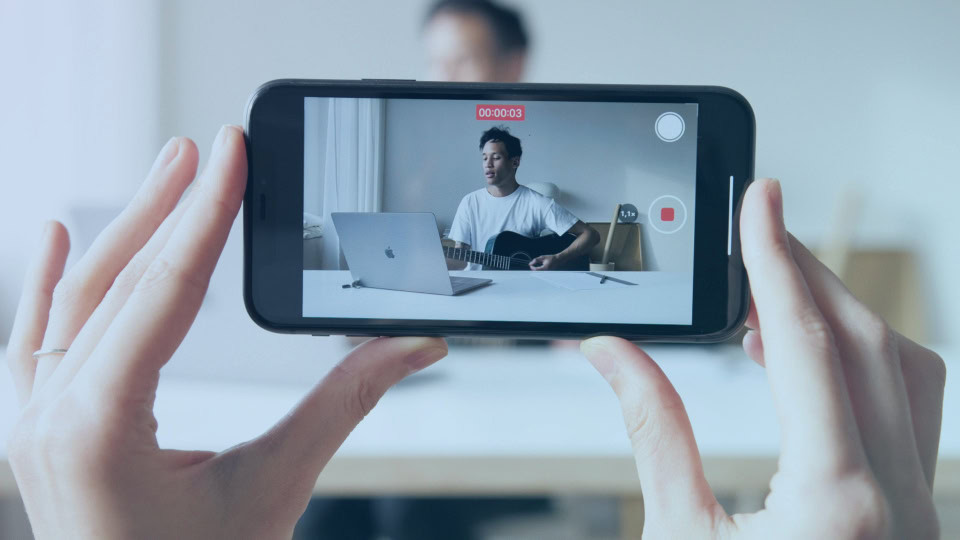
YouTube marketing is the work of using YouTube to reach the people who buy from you. You publish videos that answer their questions, set up a channel that looks credible when they check you out, and run YouTube ads to put your best videos in front of the accounts you want. For a B2B company, the goal is pipeline. You want to be on the shortlist before a buyer ever fills in a form, and you want videos your sales team can send to move deals along.
This guide covers what YouTube content looks like for B2B SaaS companies, consultancies and professional services firms. It walks through what to publish, how to get found, when to spend money on ads, and how to tell whether any of it is working.
What is YouTube marketing?
YouTube marketing covers organic content, paid advertising and the engagement around both. Organic content is the videos you publish on your own YouTube channel. Paid advertising is YouTube ads bought through Google Ads, which can promote your own videos or run as video ads before and between other people’s videos.
Engagement is the part teams forget. It means replying to comments, answering questions in channel posts and turning viewer questions into the next video.
Most B2B teams need organic content and ads, in that order. Organic YouTube videos build a library of answers, demos and opinions that buyers find through YouTube search and Google search results. Ads then put the best of those videos in front of a wider audience you choose, based on company lists, website visits or what people have searched for.
It sits inside your wider video marketing and digital marketing work. A webinar recording, a product walkthrough and a founder interview can all live on YouTube, on your website and on LinkedIn at the same time. If you’re working out where video fits in your marketing as a whole, our page on video marketing for B2B covers how we approach it.
Why does YouTube marketing work for B2B buyers?
B2B buyers do a lot of their research on video, and most of them pick vendors early. In a Google and NRG study of 2,063 US B2B buyers, 59% used social media during research, and 82% of those who started with a shortlist bought something that was on it from day one (Google and NRG, 2025). If buyers decide who’s in the running before they talk to anyone, you need to reach them before that.
YouTube is where a lot of that early learning happens. Among buyers in the same study who used YouTube while researching the product they bought, 60% watched a tutorial on it. Forrester’s 2026 survey of more than 17,000 business buyers ranked social media as the second most meaningful information source for purchases, behind only generative AI search tools, and YouTube was one of the top platforms buyers named (Forrester, 2026).
There are three more reasons it matters for B2B in 2026.
YouTube is on the TV in the living room. Nielsen’s August 2026 Gauge put YouTube at a record 15.8% of all US TV viewing time, roughly double Netflix (Nielsen, 2026). Your buyer watches it at home in the evening, not only at a desk.
YouTube feeds AI search. Ahrefs reported that YouTube is the most cited domain in Google’s AI Overviews, based on its Brand Radar data (Ahrefs, 2026). A clearly titled video that answers a question can show up in an AI answer even when your blog post doesn’t. We cover how that changes search work in our post on AEO vs SEO.
Videos keep working. Good video content can pull views for years, and YouTube recommends older videos alongside new ones as long as they keep people watching.
You’ll hear YouTube called the second largest search engine. With AI tools in the mix, that ranking is harder to pin down than it used to be. The behavior behind the line still holds. People type questions into YouTube and expect a person to answer them on camera.
How does YouTube turn into pipeline?
YouTube creates pipeline in four ways. It gets you on the shortlist, it answers objections before sales calls, it feeds retargeting, and it gives your sales team something to send. Video views are a means to those ends.
The shortlist effect is the biggest and the hardest to measure. A head of finance watches three of your videos over two months, never clicks a link, then types your company name into Google when the budget opens up. That deal shows up in your reports as direct traffic or branded search. It started on YouTube. We wrote about this pattern in our post on dark social in B2B buying, and the fix is the same. Ask “How did you hear about us?” on your demo form and read the answers.
Objection handling comes second. B2B deals involve several people, and most of them never join a sales call. A ten-minute video on how implementation works, or what your pricing includes, answers the CFO and the IT lead without another meeting.
Retargeting is third. YouTube lets you build audience lists from people who watched your videos, then show them ads for a demo, a case study or an event. These viewers already know your team, so the ad isn’t a cold introduction.
Sales enablement is fourth. A rep can answer a buyer’s question with a two-minute video link in an email. Buyers forward those links inside their company, which puts you in front of people your rep has never met.
Step 1: set one goal for your YouTube marketing strategy
Pick one primary goal for the first six months. The usual B2B options are brand awareness with a specific segment, lead generation from search, or sales support for deals already in play. Each one changes what you publish and what you measure.
If the goal is awareness, you’ll track reach and views within your target accounts, and you’ll lean on paid advertising to get there. If it’s lead generation, you’ll go after search terms with buying intent and measure clicks to a landing page and form fills. If it’s sales support, you’ll make demo, comparison and objection videos and measure how often reps use them.
Write the goal down with a number and a date. “Get 30 demo requests a quarter that mention YouTube by June” is a goal. “Grow our YouTube presence” is a wish. Your YouTube marketing strategy should sit inside your wider marketing strategy, so get the people who own pipeline to agree on the target before you film anything.
Step 2: know your target audience and their pain points
Your target audience on YouTube is your ideal customer profile, narrowed to the people who learn by watching. In most B2B companies that means practitioners and managers more than executives, though executives watch too.
Start with sales and customer success. Ask them for the twenty questions buyers ask most often, word for word, and the pain points that come up before a deal moves. Those questions are your first video list. They’re also the seed list for your keyword research, because buyers type the same words into YouTube search.
Then look at what’s already there. Search each question on YouTube and note which videos rank, how long they run and how old they are. Read the comments. When viewers found a video useful but say it skipped something, you’ve found your angle.
If you sell to different segments, such as mid-market SaaS and enterprise, don’t try to serve both with the same video. Pick the segment where you win most often and start there. You’ll know your content resonates when the comments and sales calls start using your language back to you.
Step 3: set up a YouTube channel buyers trust
Your YouTube channel is a profile page buyers will check, the same way they check your LinkedIn page and your reviews. It should look current and make clear who it’s for within a few seconds.
Get the basics right first.
- Use your logo as the profile picture, and a banner image that says in one line what the channel helps viewers do.
- Write the channel description for a buyer. Say who the channel is for, what topics you cover and how often you publish. Put the most important words in the first sentence, because that’s the part people see in search results.
- Add links to your website and one conversion page, such as a demo or consultation page.
- Make a channel trailer under 90 seconds for new viewers. Say who you help, what they’ll learn and why your team knows the subject.
- Group videos into playlists by problem or buying stage instead of by date.
Use one consistent style for custom thumbnails. You don’t need the production budget of big brands. Use the same fonts, colors and layout every time, so someone who watched one of your videos recognizes the next one in their feed.
Then reply to comments, especially in the first day after a new video goes up. B2B comment sections are small, so a real answer from your team stands out. The people who comment regularly are often the ones who share your videos inside their own companies.
Step 4: plan YouTube videos for each buying stage
Plan your video content around the questions buyers ask at each stage, then fill the gaps from the bottom of the funnel up. Decision-stage videos get fewer views, but they’re closer to revenue and your sales team can use them this quarter.
A simple planning sheet has three columns. The first holds early questions like “what is X” and “how do I fix Y.” The second holds evaluation questions like “X vs Y” and “what does it cost.” The third holds decision questions like “how long does implementation take.” Drop each sales question into a column and you have your video strategy for the next two quarters.
Pick a publishing schedule you can keep. One good video a month, published on time, does more for a YouTube channel than six in a burst followed by silence. Viewers come back when they know when to expect you.
How to videos
How to videos are the base of most B2B channels. Answer one specific question per video with a screen recording or a whiteboard, and use an example from the industry you sell to. An accounting firm explaining how a new rule changes quarterly filings will beat a generic tax tips video, because the viewer can use it on Monday morning. Open with the problem and the answer in the first few seconds. Skip the logo animation and the long welcome.
Demos, comparisons and customer stories
These are evaluation and decision videos. A product demo shows how the thing works without a sales call. A comparison video, such as your product against spreadsheets or build vs. buy, meets buyers in a search they’re already doing. Customer stories give proof. Keep them specific about the client’s situation, what changed and the numbers they’re willing to share.
Thought leadership, podcasts and live videos
Interviews, video podcasts and live videos build familiarity with the people behind the company. They suit consultancies and professional services firms, where buyers hire a team as much as a service. A recorded webinar or panel can go up as a full video and then get cut into short clips. Behind the scenes content, like how your team runs a project kickoff, helps here too. It shows buyers what working with you is like.
YouTube Shorts
YouTube Shorts are vertical videos of up to three minutes. YouTube CEO Neal Mohan said in June 2025 that Shorts were averaging more than 200 billion daily views (Tubefilter, 2025). Most of that is entertaining content made for consumers. For a B2B team, Shorts help with brand awareness. They work best as quick tips that reach new viewers with one sharp point from a longer video, then send them to the full version.
Skip trending keywords and memes. A thousand views from the wrong audience does nothing for pipeline, and it muddies the signals YouTube uses to decide who sees your next new video.
Step 5: optimize your videos for YouTube search and Google
YouTube SEO comes down to matching what people search for and then keeping them watching. YouTube says its search ranking system prioritizes three elements: relevance, engagement and quality (YouTube Help). Titles, descriptions and transcripts cover relevance. Watch time and audience retention tell YouTube whether the video delivered on the promise.
Here’s the checklist we run on every upload.
- Do keyword research before you film. Use YouTube’s search suggestions, the Research tab in YouTube Studio, and a Google search for the same phrase. If Google shows a video block for that query, it’s a strong topic.
- Write the video title for a person. Put the main phrase near the start, keep it under about 60 characters so it doesn’t get cut off on mobile, and make the promise specific.
- Write the video description like the opening of a blog post. The first two lines show in search, so lead with what the viewer will learn and a link. Then add chapters with timestamps, related links and a short paragraph that uses relevant keywords the way you’d say them out loud.
- Add a few relevant tags for misspellings and your brand name, then move on. YouTube says tags play a minimal role in discovery (YouTube Help).
- Upload accurate captions. Auto-captions mangle product names and industry terms, and a clean transcript helps both search and the users who watch on mute.
- Design custom thumbnails with three or four words at most and a clear face or screen. The Test & Compare feature in YouTube Studio lets you test up to three thumbnails on a video and picks a winner based on watch time.
- Add end screens and cards that point to the next video in the playlist, so a viewer who finishes one keeps going. Say one clear next step out loud before the end, such as booking a call or watching the next video.
Don’t forget your existing videos. Old webinar recordings and product videos sitting on Vimeo or a shared drive can be retitled, chaptered and uploaded. Most B2B companies have more raw material than they realize.
Step 6: share your videos on social media and other channels
A new B2B YouTube channel gets its first views from promotion on other platforms. YouTube recommends videos once they’ve shown they can hold an audience, so you have to bring that first audience yourself. Plan distribution for your YouTube content at the same time you plan the video.
These are the other channels that work best for B2B.
- Social media, especially LinkedIn. Post a native clip with the takeaway written out in the post, and add the YouTube link in the comments. Your team’s personal profiles usually reach more buyers than the company page.
- Email marketing. A short video and a one-paragraph summary in your newsletter gets the video to people who already know you.
- Your website. Embed the video in the related blog post, service page or help article. It keeps visitors on the page and gives Google another reason to show the video in search results.
- Sales emails and proposals. Give reps a library of short answers they can link to.
One recorded conversation can become a full YouTube video, five Shorts, a blog post, a LinkedIn carousel and a newsletter. We call that content upcycling, and it’s the easiest way to keep a B2B channel fed without a production team. YouTube makes this easier than most social platforms, because a single long video gives you enough material for weeks of posts.
Step 7: add YouTube ads through Google Ads
Run YouTube ads after you know which videos hold attention and which ones lead to a click. Paying to promote a video that loses most viewers in the first 30 seconds only gets you the same result faster.
YouTube ads run through Google Ads. Google has upgraded Video Action campaigns to Demand Gen campaigns and set April 2026 as the date for the last ones to move over (Google Ads Help). Demand Gen covers YouTube in-stream, in-feed and Shorts placements, along with Discover and Gmail. For brand awareness work, video reach and view campaigns are still the usual choice.
Targeting is what makes YouTube ads useful for B2B, because you can reach a narrow target audience instead of everyone in an industry. You can upload a customer or target account list with Customer Match, build audiences from people who watched your videos or visited your site, and create custom segments from what people searched for on Google. That last option is the one we see B2B teams skip most often. Someone who searched “SOC 2 audit cost” last week is a better prospect than anyone a broad job title filter will find.
If you want a hand with setup and testing, our YouTube ads page explains how we run campaigns for B2B clients.
Which YouTube ad formats work for B2B?
These are the YouTube ad formats B2B teams use most.
- Skippable in-stream ads play before or during other videos. On view-based bidding, you pay when someone watches 30 seconds (or the whole ad if it’s shorter) or clicks.
- In-feed video ads show in YouTube search results and the home feed. They work well for promoting a how to video against a search term.
- Bumper ads are six seconds and can’t be skipped. They keep your name in front of an account list, but they won’t explain anything.
- Shorts ads run between Shorts. They suit one quick point with a clear next step.
Early on, most B2B budgets go furthest on skippable in-stream and in-feed video ads aimed at warm audiences and search-based segments. Save the broad ad formats for when you have proof the message works.
Send ad clicks to a matching landing page
Every ad needs a landing page that picks up where the video left off. If the video explains how to cut onboarding time, the page should repeat that promise in its headline, show the proof, and ask for one action. Sending video traffic to your homepage wastes most of the clicks you paid for.
Step 8: measure watch time, traffic sources and pipeline
YouTube analytics tells you whether people watch. Your CRM tells you whether it made money. You need both, and you should read them in that order.
In YouTube Studio, check these first.
- Audience retention. Look at where viewers drop off. A steep drop in the first 30 seconds means the opening doesn’t match what the title promised.
- Watch time by video and by playlist. This shows which topics hold attention.
- Traffic sources. YouTube search, suggested videos, external sites and browse features each tell you something different. Lots of search traffic means you’ve matched a real question. Lots of external traffic means your distribution is doing the work.
- Click-through rate on impressions. A low rate with good retention usually points to the thumbnail and title.
- Audience demographics. The audience tab shows age, gender, location and what else your viewers watch, so you can check whether you’re reaching your target audience at all.
For B2B, video views and subscriber counts matter less than these. A video with 600 views from the right job titles can beat one with 60,000 views from people who will never buy.
Then connect it to revenue. Put UTM links in every description, send them to a landing page that matches the video, and track form fills as campaigns in your CRM. Add “How did you hear about us?” as an open text field on your demo form, because most YouTube influence never shows up as a click. If reps send videos, track video interactions inside each deal too. Knowing that three people from one account watched the pricing video is useful for the rep on the next call.
Which YouTube marketing tools do you need?
You need fewer YouTube marketing tools than most lists suggest. YouTube Studio is free and covers analytics, the Research tab, Test & Compare and comments. Google Ads handles paid campaigns and audience lists. Your CRM ties views to deals.
On top of that, most B2B teams add three things. They use a keyword tool built for YouTube, such as vidIQ or TubeBuddy, to check search volume. They use an editor that works from the transcript, which makes it faster to cut webinars and interviews into clips. And they use a decent microphone, which matters more than the camera.
Should B2B brands work with YouTube influencers?
Sometimes, and usually with smaller creators than you’d expect. In B2B, the YouTube influencers who matter are specialists, like the accountant who reviews practice software or the RevOps consultant who tests CRMs. Their audiences are small, and they’re exactly the buyers you want.
A sponsored review with one of those creators can reach more of your buyers than a month of your own uploads, because their viewers already trust them. Google’s B2B research found that niche creators and “workfluencers” are now part of the informal conversation around purchases (Google and NRG, 2025). Pick creators whose comments are full of real practitioners, agree on an honest review instead of a script, and give them a tracked link and offer.
Common YouTube marketing mistakes B2B teams make
Most of the YouTube marketing tips and video marketing advice online were written for creators who earn money from ads. B2B teams that copy them end up chasing the wrong numbers. These are the mistakes we see most.
- Publishing for views. Engaging content that pulls the wrong audience teaches YouTube to show your next videos to more of the wrong people.
- Uploading webinars without editing. A 60-minute recording with a five-minute intro loses most viewers before the useful part. Cut the intro and add chapters.
- Treating the channel as a campaign. A YouTube channel that goes quiet after launch month tells viewers nobody’s home. Plan for at least a year of publishing.
- Leading with a brand film. Building an emotional connection has its place, but buyers want their questions answered first.
- Measuring YouTube on its own. If you only look at YouTube analytics, you’ll never see the deals it helped.
A 90-day plan to start YouTube marketing
If you’re starting from nothing, this is a realistic first quarter for a small B2B team.
In weeks 1 and 2, set the goal, pull the twenty sales questions and do keyword research on each one. Set up the YouTube channel, write the channel description and record a short channel trailer.
In weeks 3 to 6, publish four to six foundational videos. This is the video content your sales team will use first. Make them decision-stage answers and how to videos for your best-fit segment. Embed each one in a related page on your website and share it through email and LinkedIn.
In weeks 7 to 10, keep to a weekly or every-other-week schedule. Cut Shorts from the best long videos. Check audience retention and re-edit the opening of any video that loses people early.
In weeks 11 to 13, look at what’s working. Put a small YouTube ads budget behind the one or two videos with the best retention, aimed at your site visitors, your account list and a search-based custom segment. Review demo form answers and CRM campaign data for any mention of YouTube.
After 90 days you’ll know which topics hold attention, which ones drive clicks and whether paid promotion makes sense. That’s enough to plan the next two quarters on evidence instead of guesses, and to start turning viewers into new customers.
YouTube marketing FAQs
How does YouTube marketing work for B2B companies?
You publish videos that answer the questions your buyers search for, set up a channel that looks credible, and promote the best videos with YouTube ads aimed at the accounts you want. Buyers find the videos during research, get familiar with your team and add you to their shortlist. You measure it through YouTube analytics, tracked links and the “How did you hear about us?” answers on your forms.
How long does YouTube marketing take to show results?
Expect three to six months before organic videos bring steady search traffic. Tying them to closed deals takes longer, because your sales cycle adds its own delay. YouTube ads can produce views and site visits within days. Sales enablement videos can help in the first month, since reps can send them to live deals straight away.
Do B2B companies need to monetize their YouTube channel?
No. Questions like how many views it takes to earn $1,000 a month are creator questions. Ad revenue depends on the YouTube Partner Program, your niche and your view count, and for most B2B channels it’s small. One new client from YouTube is usually worth more than a year of ad revenue, so judge the channel on pipeline.
How much do YouTube ads cost?
You set the budget in Google Ads, and there’s no minimum spend. Costs depend on your bidding, targeting and how many other advertisers want the same audience. Narrow B2B audiences, such as an uploaded account list, tend to cost more per view than broad ones. Start with a test budget for a few weeks, judge it on cost per qualified visit or demo request, and scale what works.
Do we need a studio to make great videos for YouTube?
No. Viewers forgive average video, but they click away from bad audio, so a good microphone comes first. Screen recordings, a laptop camera with decent light and a person who knows the subject will carry most B2B how to videos. Spend on editing before you spend on gear.
Where to start
YouTube works best as one part of a B2B marketing strategy, next to search, LinkedIn and email. It rewards the B2B companies that keep showing up with useful answers for longer than their competitors bother to. Start with the questions your sales team hears every week, publish a handful of good answers, and connect them to your CRM so you can see what they’re worth.
If you’d like help building a YouTube marketing plan, or putting ads behind the videos you already have, talk to In Motion Marketing. We’ll look at what you’ve got and tell you where we’d start.


